Import Your Enosi Data Pack
Upload your Enosi JSON data pack to pre-populate your profile. It's the fastest way to get started!
How to export your data
- Log in to your Enosi Powertracer account
- Go to your Property Overview page
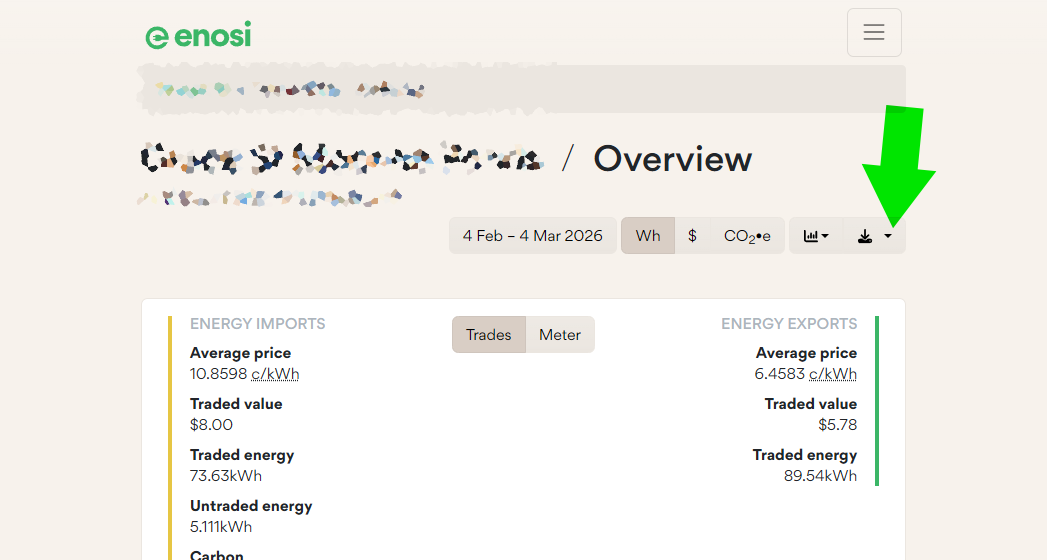
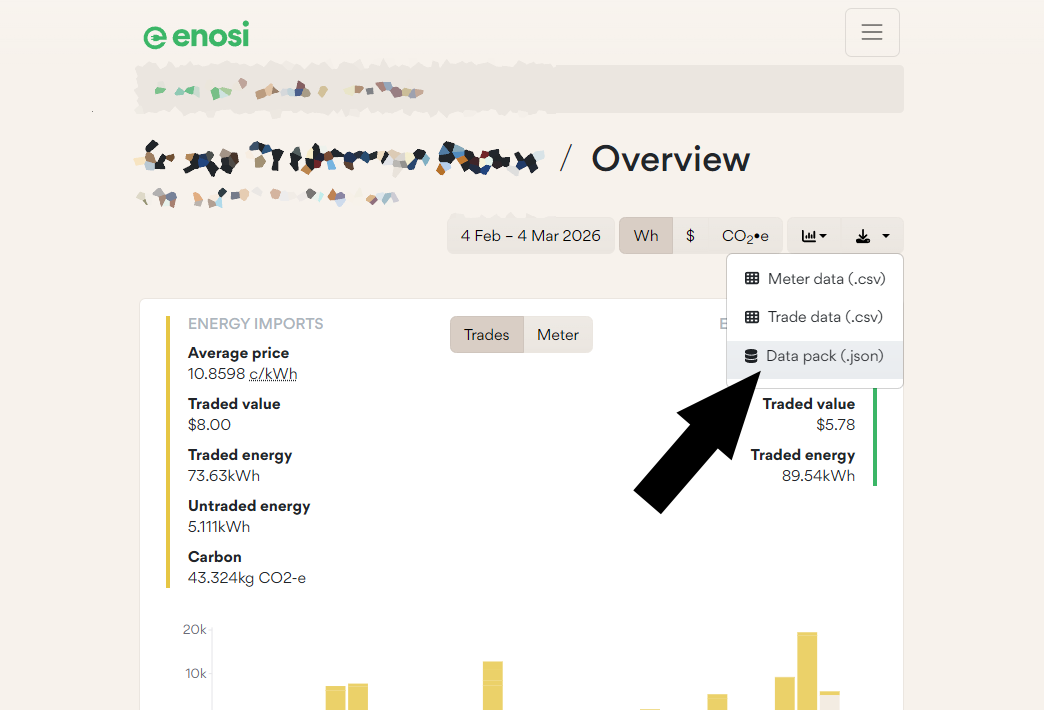
- Click the download button at the top right of the graph
- Select Data Pack (.json) (see screenshots)
What we extract from your data:
Your Profile
Name and contact info
Energy Usage
Daily consumption patterns
Location
Postcode for matching
Current Partners
To exclude from matches